


Personal
Business
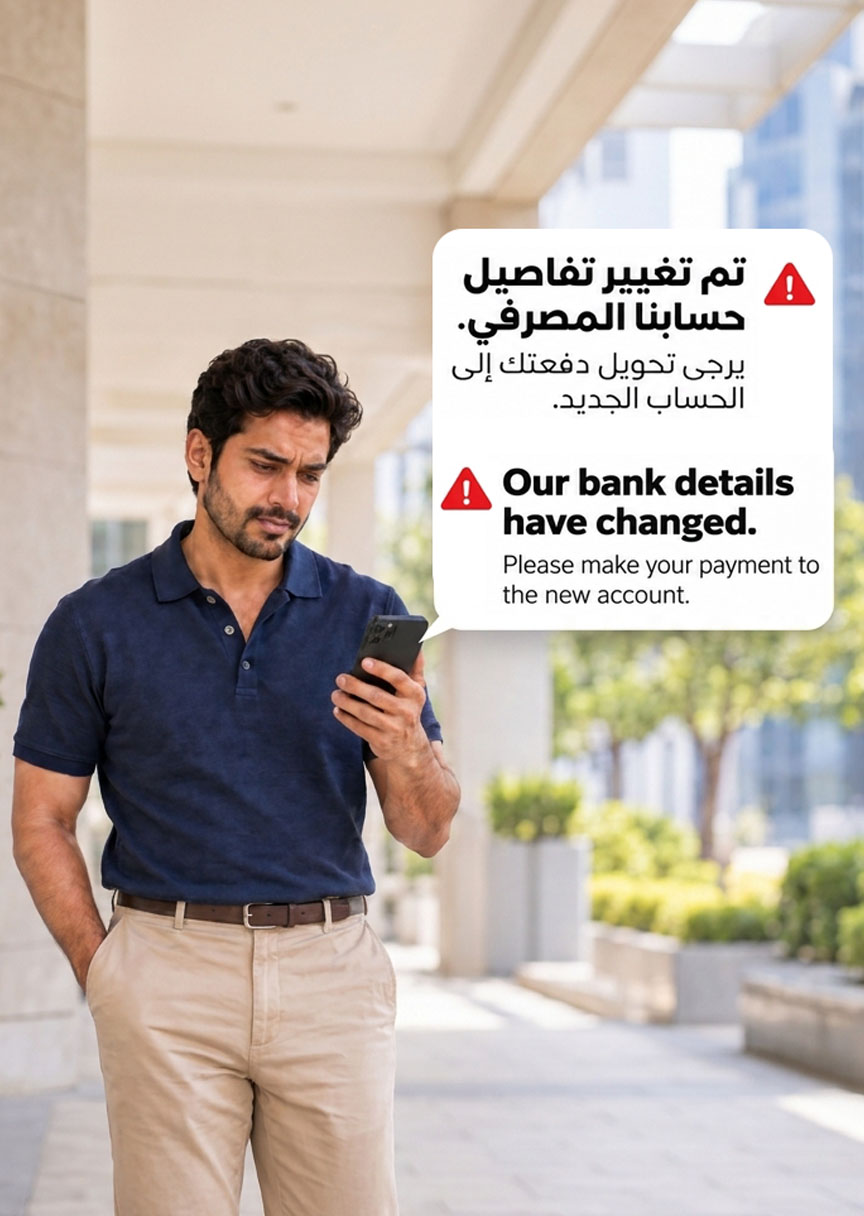
Learn how to spot fake payment instructions, verify changes to bank details and protect your money from payment redirection scams.
Fraudsters may impersonate banks, financial institutions and other trusted organisations to convince you that payment or bank details have changed. They may ask you to transfer money to a new account, update a beneficiary or use an alternative payment method — when the account actually belongs to the fraudster.
These scams, known as payment redirection scams, can be highly convincing. Fraudsters may use familiar branding, realistic invoices, lookalike email addresses or even messages that appear within an existing email conversation. Even when the amount and other details appear correct, an unexpected change to payment instructions should always be independently verified.
At Deem, your security is our priority. If you receive any unexpected communication claiming that Deem’s payment details or repayment instructions have changed, do not make the payment until you have verified the request through Deem’s official channels.
Here’s how to recognise the warning signs and protect your payments:
What Is a Payment Redirection Scam?
A payment redirection scam occurs when a fraudster impersonates a legitimate person or organisation and provides false payment instructions.
The payment obligation itself may be genuine. You may have an upcoming credit card or loan repayment, rent payment or supplier invoice. The fraud happens when you are deceived into sending the money to an account controlled by the fraudster instead of the intended recipient.
These scams can affect both individuals and businesses. Fraudsters may impersonate a financial institution, landlord, supplier, employee or other trusted contact to make the request appear legitimate.
How Payment Redirection Scams Work
Fraudsters may use lookalike email addresses, impersonate familiar contacts or, in some cases, gain access to genuine email accounts. They may also copy company branding and alter payment details on otherwise convincing communications.
A typical attempt may involve the following:
A familiar payment is mentioned.
The message refers to an invoice, repayment, deposit or other payment you are already expecting to make.
New payment instructions are provided.
The sender claims that the usual account has changed or is temporarily unavailable and provides a new IBAN or beneficiary.
You are encouraged to act.
The message may refer to an approaching deadline or ask you to update your saved beneficiary before the next payment.
The payment is redirected.
The money is transferred to an account controlled by the fraudster rather than the intended recipient.
Importantly, the fraud does not always involve an immediate payment. Fraudulent beneficiary details saved today could affect a payment made at a later date. Always verify any change before updating your records.
Situations Where You Should Pause and Check
A Request Claiming to Be About Your Deem Repayment
A fraudster may impersonate Deem and claim that your credit card or personal loan repayment details have changed. The communication may use Deem branding, refer to your repayment or claim that you need to transfer funds to a different account.
Do not follow unexpected payment instructions without verification.
If you receive a request claiming that Deem’s payment details have changed, contact Deem Customer Care on 600 525550 using Deem’s official contact information before making any payment.
A logo, account reference or claim to represent Deem is not enough to confirm that a request is genuine.
A Message About Your Rent Payment
You may receive an email appearing to come from your property agent shortly before rent is due, stating that the landlord has changed banks and asking you to use a new IBAN.
The property details and payment amount may be correct, which can make the request appear genuine.
Before changing your beneficiary details, contact your property agent using a phone number or contact method you already trust and independently confirm the new payment information.
A Revised Invoice from a Supplier
You may receive a replacement invoice for work that has already been completed. The company logo, invoice reference and amount may match the original invoice, while the bank details have changed.
Do not assume the revised invoice is genuine because the rest of the information appears correct. Confirm the change directly with your established contact using a separate and trusted communication channel.
Warning Signs to Watch Out For
Unexpected Changes to Bank or Beneficiary Details
Treat any unexpected request to replace a saved beneficiary, use a new IBAN or transfer money to a temporary account with caution.
This applies even if you have made payments to the organisation many times before. A familiar relationship does not automatically make every new communication genuine.
Pressure to Pay Quickly
Be cautious if you are told that you must transfer money immediately to avoid a penalty, cancellation or other consequence.
Fraudsters may create urgency to discourage you from taking the time to verify the request.
If a communication relates to your Deem repayment, contact Deem directly through an official channel before taking further action.
Small Differences in the Sender’s Details
Check the full email address, domain and, where available, the reply-to address.
An extra letter, altered domain or unfamiliar contact number can be a warning sign. However, a correct-looking email address does not guarantee that a message is genuine, as legitimate accounts can sometimes be compromised.
An Unfamiliar Beneficiary Name
Pause if the beneficiary name appears unrelated to the person or organisation you intend to pay, particularly if a company payment is being redirected to an individual’s account.
Any explanation that the account belongs to an employee, representative or payment agent should be independently verified.
Attempts to Stop You from Verifying
Be cautious if the sender discourages you from calling your usual contact, asks you to keep the change confidential or insists that you only use a newly supplied phone number.
Verification should always take place through a contact method you already trust.
How to Verify a Change Before You Pay
Pause before updating the beneficiary.
Do not save new payment details or approve a transfer until you have independently verified the request. Avoid making a small test payment to an account whose ownership has not been confirmed.
Use independently obtained contact details.
Call a phone number from an established record or the organisation’s official website. Avoid relying only on contact details, links or phone numbers included in the suspicious communication.
For requests involving your Deem account, use Deem’s official contact channels.
Confirm the complete payment details.
Ask whether the change has been authorised and confirm the beneficiary name, bank and IBAN before entering or saving the information.
Check before confirming the payment.
Review the recipient and payment amount carefully before completing the transaction and investigate any discrepancy.
Follow established business approval processes.
If you manage supplier or business payments, follow your organisation’s verification and approval procedures for changes to payment details, even when the request appears to come from a familiar or senior colleague.
Protecting Your Deem Credit Card and Personal Loan Payments
Using Deem’s official channels can help you verify unexpected payment instructions and protect your account.
Open the Deem App Directly
Use the Deem App to review your account information, statements and available payment services.
Do not access your account through unfamiliar links sent by someone claiming that your repayment instructions have changed.
Check Deem’s Official Payment Options
Refer to the payment options available on Deem’s official website or contact Customer Care before using an unfamiliar payment method.
Do not change your usual repayment arrangement solely because an email, SMS or WhatsApp message tells you to do so.
Protect Your Account Information
Never share your password, PIN, CVV or OTP with anyone requesting them to verify, process or redirect a payment.
Do not share your Deem App login details with anyone offering to assist you with a payment or account update.
You can find additional guidance on Deem’s Fraud Awareness page.
Check Any Payment Discrepancy with Deem
Keep your transaction receipt and payment reference.
If you are unsure whether a repayment has reached your Deem account, contact Customer Care to confirm its status before following any additional payment instruction.
What to Do If You Have Already Sent Money
If you believe a payment may have been redirected to a fraudulent account, act promptly.
If the fraud relates to a Deem repayment, also confirm the status of your actual payment obligation.
Stay Alert Before You Pay
An unexpected change in payment details should always be treated as something to verify — not simply as a routine update.
Before changing an IBAN, adding a new beneficiary or following revised payment instructions, confirm the request using a contact method you already know and trust.
For Deem customers, use the Deem App, official Deem website and Customer Care as your first points of reference whenever a payment instruction appears unusual.
You can also read Deem’s guide to OTP and impersonation scams to learn how fraudsters may attempt to obtain your personal or financial information.
Unsure about a request claiming to be from Deem? Call 600 525550 before you pay.
Frequently Asked Questions
No. Individuals and organisations may legitimately change their banking details.
However, any unexpected change should be independently verified before you save the new information or make a payment.
Yes. Fraudsters may gain access to genuine email accounts or use addresses designed to closely resemble legitimate ones.
A request appearing within an existing email conversation should still be verified if it introduces new or unexpected payment details.
Yes.
You may authorise a transfer yourself through your bank’s genuine app or website, but if the beneficiary details were provided by a fraudster, the money may still be sent to the wrong account.
Protecting your credentials and verifying the recipient are both important.
Do not update your beneficiary details or transfer money to the new account until you have independently confirmed the request with Deem.
Call Deem Customer Care on 600 525550 using the contact information published through Deem’s official channels.
Do not rely on a callback number supplied only within the message.
Yes.
Saving fraudulent beneficiary details could result in a future payment being redirected. Verify the change before updating your records.
Open the Deem App, refer to the payment options published on Deem’s official website, or contact Deem Customer Care for guidance.
Use these channels whenever you receive an unexpected request to change how you repay your Deem Credit Card or Personal Loan.
Call Deem on 600525550 or email fraudalert@deem.io with the suspicious communication and any relevant supporting information.
If money has already been transferred, contact the bank or payment provider that processed the transaction immediately.


© All rights reserved 2026 Deem Finance LLC. Deem Finance LLC (Deem) is regulated by Central Bank of the UAE.